Using the Figma plugin in ChatGPT to create a landing page
This week I’m going to show you how i used a combination of Codex (ChatGPTs "work" application), Figma and Shopify to design a page on our site.
If you don't touch anything digital/web, you may not think this is that useful, which, to some degree is probably true. That said, I think if you read it, the bigger takeaway is showing how you can orchestrate among different software to get to a good outcome.
Onto the example.
This week we launched a campaign for Sun Powder called Powder Hounds. We wanted a fun page on our site that explained the concept and allowed people to apply.
Here’s what I built in about 2 hours, from the initial idea to a fully functioning page on our website: www.drinksunpowder.com/pages/powder-hounds.
In the past, this would have been roughly:
- 1 day of copywriting
- 1-2 days of design
- 2 days development
I’ll walk you through how I built it, because I think it’s a pretty good example of how AI is changing the way we approach design and development.
Design
First, on my soapbox, one of the reasons people get bad outputs "AI" tools is that they approach them without the same fundamentals they’d apply to any other process.
When it comes to design, you still need good brand guidelines, a typographic system + scale, and a clear sense of what the page is supposed to communicate. AI doesn’t eliminate the need for any of that.
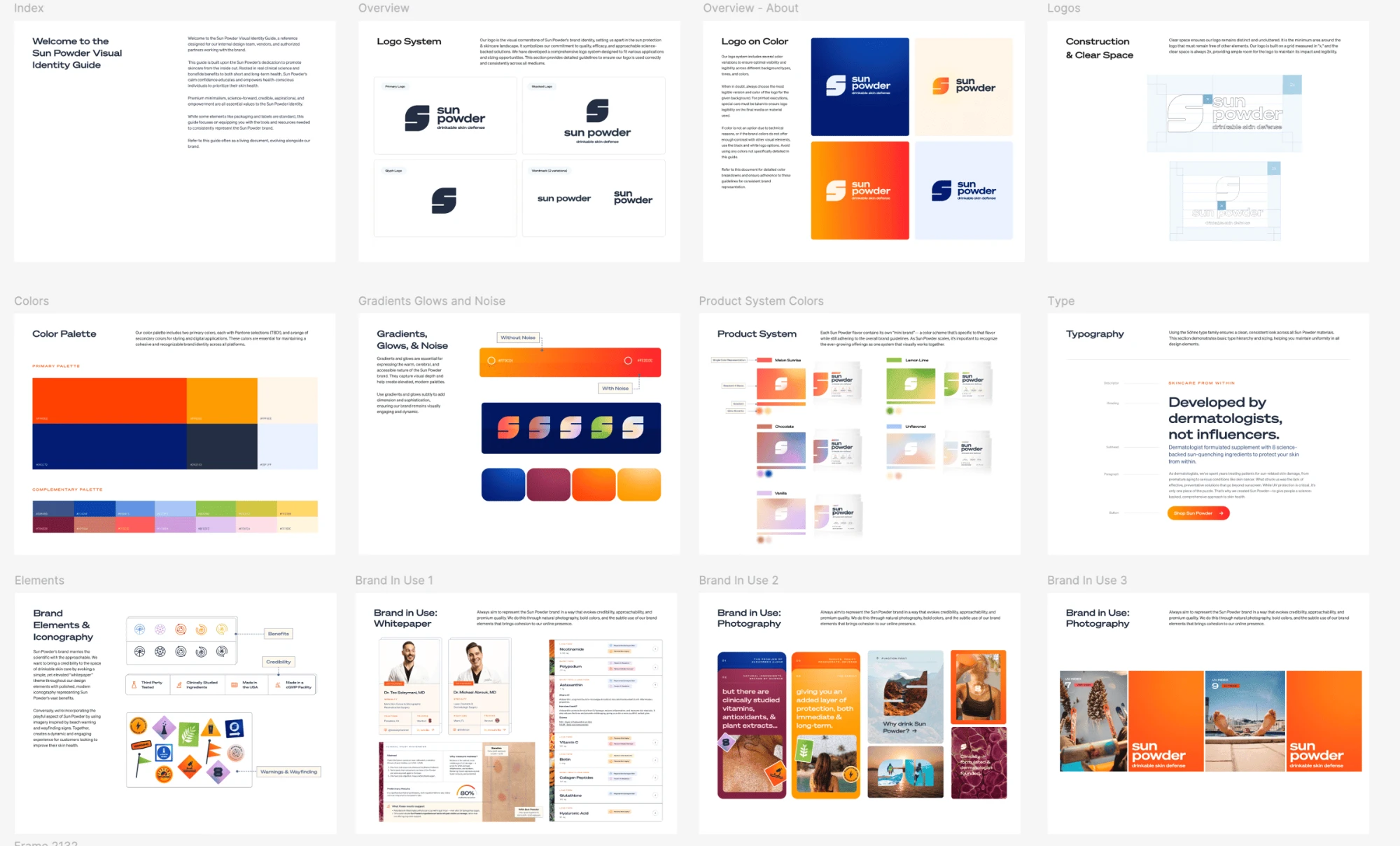
I have Codex connected to my Figma, meaning it can quite literally go into figma and design.
I created one artboard with all the content I wanted on the page, and then asked Codex to generate a few layouts in Figma, first for us to align on direction.

From there, I went unit by unit, component by component, refining things as I went. I’d ask it to design a particular component, show me a few variants, make adjustments, and keep going until I got something I liked. You can think of this like creative directing the "ai."
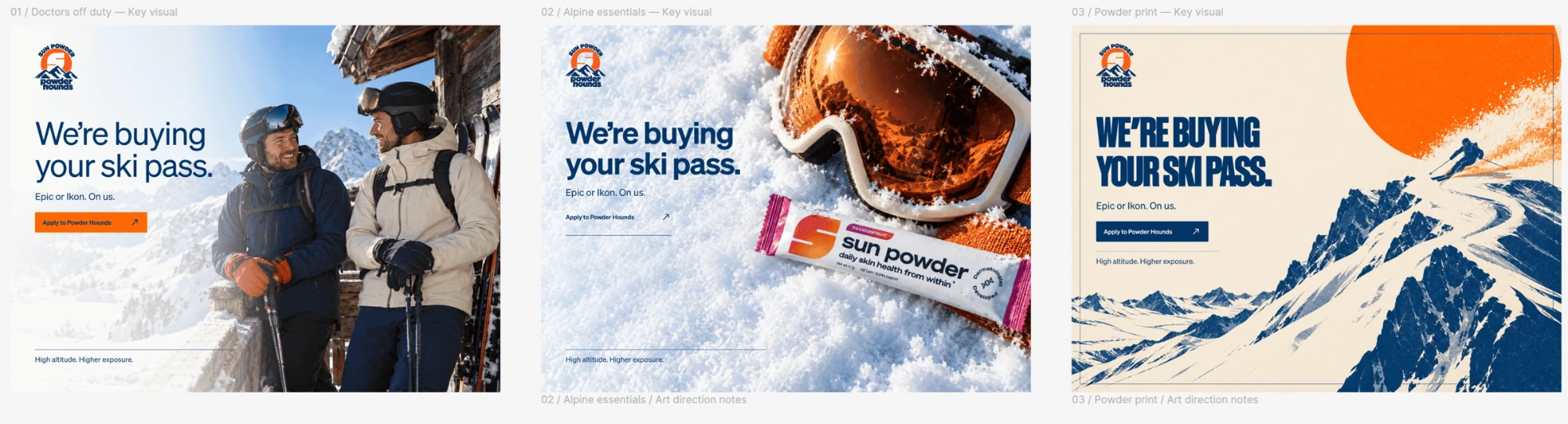
So the first part of the process is really just doing all of the design work in Figma, which is pretty crazy to me because I used to be hands-on mouse doing all of this myself.
Animation
At one point, I had an idea for a trail sign that would alternate between the word "ski" conditions and "skin" conditions.

So I had Codex design the sign in Figma, and then I took that design over to Claude and asked it to animate it. Now I have the animated HTML file that I can just drop into the page when I go to build it.
Build
If you sell on Shopify, you can connect your Shopify theme to GitHub and use Codex to make changes directly to your website.
So if you want to launch a new page, you can build it quickly from scratch. In the past, you were largely limited to the existing blocks and components available in your theme. If you wanted something entirely new, you’d have to get it designed, developed, and implemented. And like I said, that process could take weeks.
Once the design was done, I went to Codex and said the below. It then spent about 15 minutes writing the code, implementing the design, running QA, and making sure things were working properly.
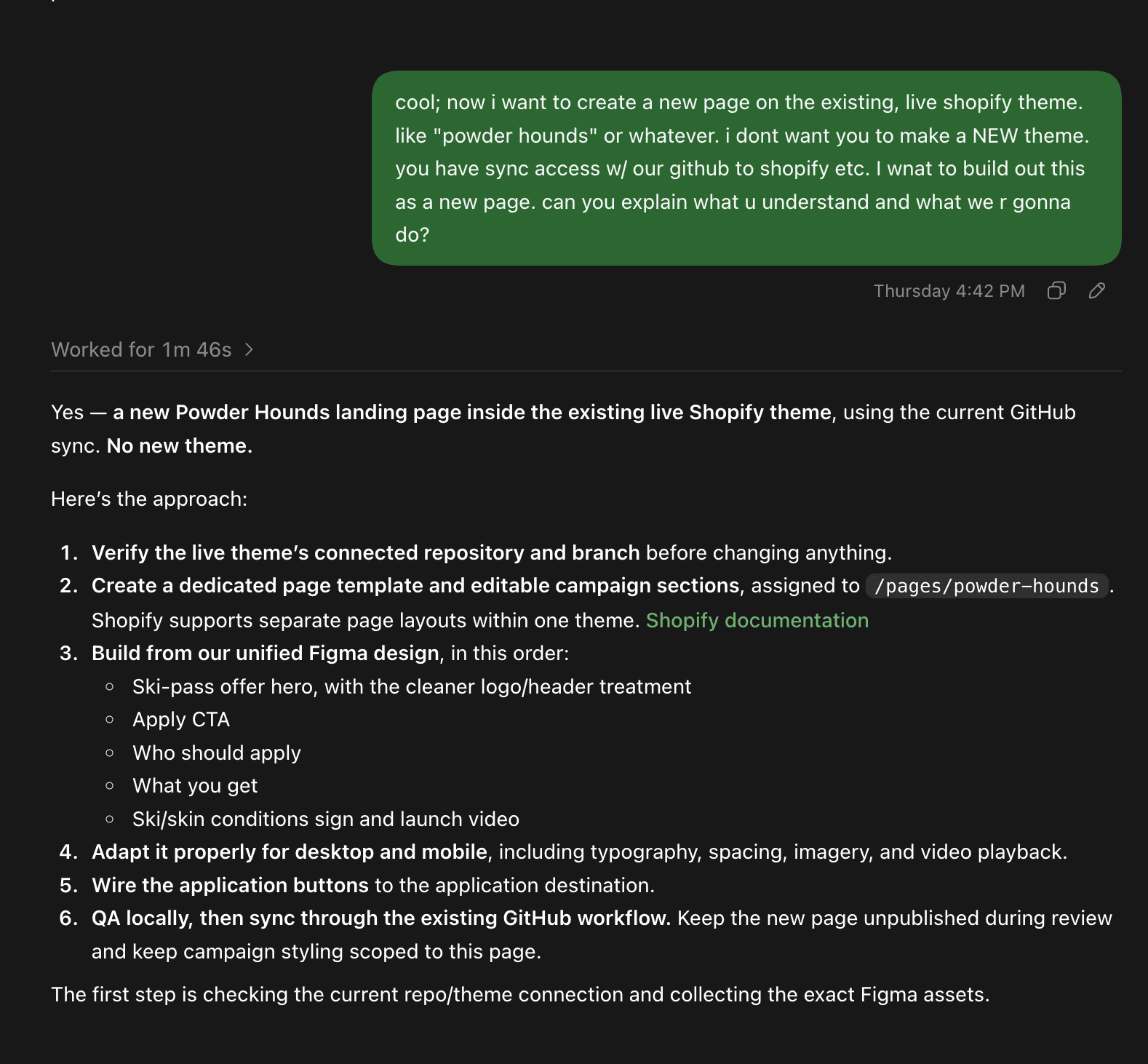
There were of course more prompts and adjustments after its first build, but from the initial idea to having a live page, the whole process took maybe 2-3 hours.
Why Expertise Still Matters
Now, one thing I’d point out is that I got a good outcome here because I used to do software / digital design work. I have reps doing interface design, so I have some understanding of what good design looks like and how to get there. I don’t think any of this obviates the need for designers. In fact, I think a lot of the sloppy-looking stuff you see people making with AI comes from people who don’t have that background.
It’s no different from me trying to use AI for something I’m not good at. If I tried to create a video end-to-end using Higgsfield (which I've tried), I don't get a great outcome. I’m not a video editor. I don’t have the same understanding of composition, pacing, or all the other things that go into making a good video.
So I think you still need people who have specialization and expertise in these things. That might be people on your existing team, or it might be people you hire who are just much better at leveraging these tools. The tools make them more capable, but their underlying expertise is still what makes the output good.
But also in a pinch, you can just get something halfway decent yourself. If you have an idea for something you want to test, whether it’s a new landing page, a design concept, or some interaction you’ve been thinking about, you can go and bring it to life without having to turn it into a whole project involving multiple parties over several weeks (or months!).
That's it for this week. Let me know if this was too much detail, or hard to follow, or you'd want me to go deeper on this.